
The short answer: a Jobber virtual assistant can review new requests, maintain approved client and property details, schedule routine work inside written rules, follow up on quotes, send reviewed invoices, maintain tasks, and keep exception queues current. Keep administrator settings, payroll, imports and exports, payment configuration, technical judgment, unusual pricing, disputes, and destructive actions with the authorized owner or manager.
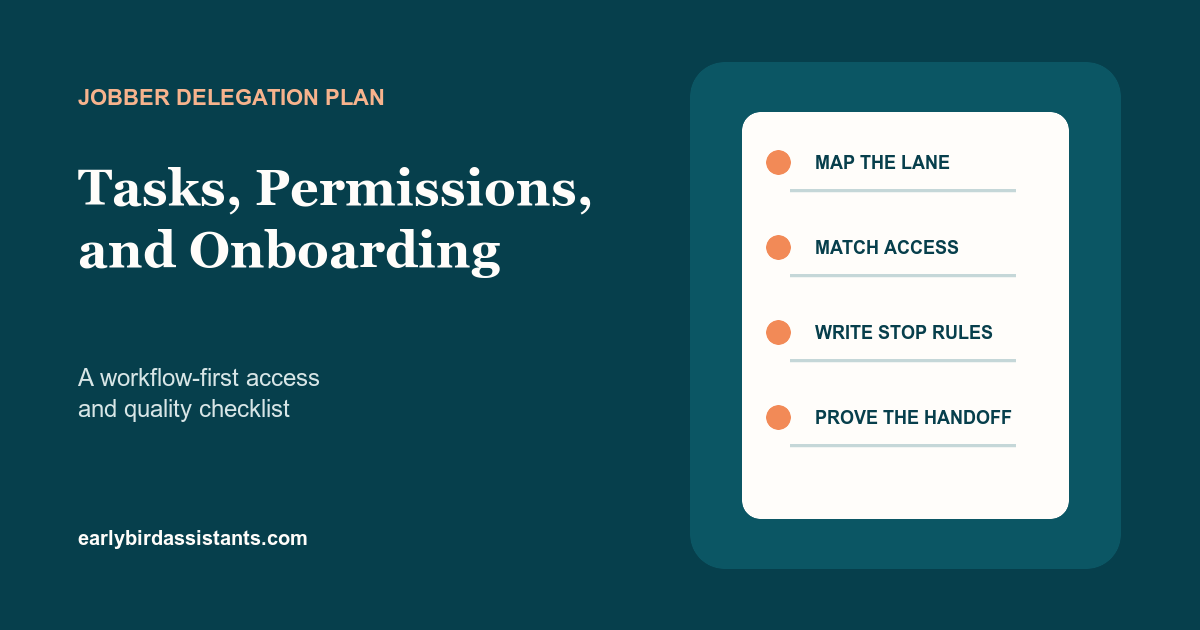
The safe setup starts with a lane, not a login. Define what begins the work, what the assistant may decide, which conditions stop the process, who resolves each exception, and what proof shows the item is complete.
Start with Jobber permissions, not broad account access
Jobber's current user-permissions documentation lists four presets: Field crew, Senior field crew, Crew lead, and Manager. It also supports custom permissions and a separate administrator setting. Jobber says only administrators can change permissions. Its custom controls cover schedule, time tracking, notes, files, expenses, pricing, job costing, marketing, pipeline, client communications, clients and properties, requests, quotes, jobs, invoices, payments, and reports.
A preset is a starting point, not a job description. Manager access, for example, includes reports, marketing tools, and pipeline access when available, while administrator access reaches higher-level settings and actions such as team management, account and billing, client imports and exports, Jobber Payments reports, and payroll confirmation. Use custom permissions when a preset exposes more than the chosen lane requires.
Permission dependencies deserve a written check. Jobber says showing pricing unlocks other permission levels, including quote and invoice editing. Payment access also depends on pricing, client, quote or invoice permissions. Pipeline access depends on schedule, request, quote, pricing, and report access. Record what changed and why rather than clicking through dependencies from memory.
Six useful Jobber tasks to delegate
1. Review and route new requests
Jobber's Request Basics explains that requests can capture new work from a website, client hub, direct link, phone call, email, or in-person conversation. From a request, the office can follow up, schedule an assessment, create a quote, or convert the request into a job. An assistant can check required contact and job details, send an approved response, and place the item in the correct next-step queue.
The assistant should not diagnose the work, classify technical urgency, or promise a service outcome. Your qualified trade team should write the service-area, work-type, capacity, and escalation rules, then remain available for exceptions.
2. Schedule routine work inside written boundaries
Jobber's Job Basics distinguishes jobs from visits: a job represents the full duration or contract, while visits are the scheduled times when field work happens. It also distinguishes one-off and recurring jobs and notes that the job type cannot be switched after creation. That makes a clean scheduling SOP important.
Write the allowed job types, visit lengths, arrival windows, service zones, team assignments, travel buffers, and customer messages. A remote assistant can place work that fits those rules. Skill mismatch, overbooking, displaced commitments, unusual work, and field-priority decisions return to the dispatcher, service manager, or owner.
3. Maintain client records and assigned tasks
Client and property permissions can be limited from name-and-address visibility through full view, edit, and delete access. Choose the narrowest level that supports the lane. Approved contact corrections, property notes, and attachments may be routine. Record deletion, identity conflicts, Do Not Service decisions, or unclear sensitive information should stop for review.
Jobber's Tasks documentation says tasks schedule non-invoiced work such as errands, supply pickup, or follow-up appointments. Tasks can be assigned, repeated, reminded, and marked complete. They do not create client-facing notifications. An assistant can maintain internal follow-ups, but completion should require evidence and deleting a scheduled item should remain a controlled action.
4. Work an approved quote follow-up queue
Jobber's Quote Basics shows that quotes can include line items, quantities, unit costs and prices, discounts, taxes, deposits, client-facing display choices, messages, and contract language. A quote can also be saved, sent, marked awaiting response, or converted to a job. That is too much authority to hide behind “follow up on estimates.”
A safe lane starts after the responsible person approves the quote. The assistant works the awaiting-response list, sends the approved cadence, records the response, and routes questions. Scope, price, discount, tax, deposit, contract, or line-item changes require the named sales or financial owner.
5. Send reviewed invoices and maintain follow-up
According to Jobber's Invoice Basics, invoices can be created from jobs, client profiles, invoice reminders, or as standalone invoices. They can include payment terms, line items, discounts, taxes, deposits, and payment options. An assistant can send an invoice the responsible financial reviewer has approved and work an approved reminder cadence. Totals, terms, taxes, refunds, disputes, and payment settings stay with an authorized financial owner.
6. Maintain the exception list and QA rhythm
The most valuable recurring work is often not another click. It is keeping unfinished items visible. Give each exception an owner, next action, due date, and source link. Reconcile new requests, awaiting-response quotes, schedule conflicts, requires-invoicing work, overdue invoices, and assigned tasks at a fixed cadence.
Interactive Jobber delegation and QA checklist
Select one connected lane that a single manager can review, then complete the setup checks. The authority and stop rules below are operating recommendations, not a promise that Jobber permissions enforce every business decision. Features vary by plan and can change, so confirm the controls in your own account.
Original worksheet
Choose the lane, then prove the setup
0 lanes selected. Start with one lane whenever possible.
| Lane | Assistant can own | Stop or approval rule | QA check |
|---|---|---|---|
| Check new requests for required contact and job details; send the approved reply; route the next step | Technical questions, work outside written service rules, unclear consent, or any urgency decision | Daily request-to-next-step sample | |
| Create or move work inside written service, duration, team, travel, and availability rules | Overbooking, displaced commitments, skill mismatch, or a promise outside policy | Next-day schedule comparison | |
| Update approved contact and property fields; attach files; maintain agreed notes | Record deletion, identity conflict, Do Not Service decisions, or sensitive-data uncertainty | Weekly record sample | |
| Work the approved awaiting-response list; send the approved cadence; record the outcome | Scope, line item, price, discount, tax, deposit, or contract changes | Open-quote reconciliation | |
| Send manager-approved invoices and approved reminders; report replies and status changes | Totals, terms, taxes, payment options, refunds, disputes, or automatic-payment changes | Requires-invoicing and overdue review | |
| Create assigned non-billable follow-ups, keep the exception list current, close proven completions | Deleting scheduled items, changing field priority, or closing work without proof | Daily task and exception audit |
A practical four-week Jobber onboarding plan
Week 1: map and configure. Map the full operating scope, choose one priority lane, create a separate Jobber user, match permissions to the lane, name each exception owner, and record the initial access.
Week 2: observe and practice. Document the normal path and stop rules. Let the assistant observe real examples, then practice with a controlled sample. Correct the instructions before increasing volume.
Week 3: run with visible review. Move approved work while the manager checks the exception list and samples completed records. Compare messages, schedule changes, quote status, and invoice status with the source item.
Week 4: tighten before expanding. Remove unused access, reconcile unfinished items, update the SOP, and decide whether the lane is stable. Add another lane only when ownership, stop rules, and QA remain clear.
This matches Early Bird's service model. Onboarding maps the full operating scope first, then stabilizes one priority workflow at a time around one dedicated, full-time executive assistant with ongoing Early Bird support. Early Bird's service agreement includes confidentiality obligations, and assistants sign nondisclosure agreements. Those commitments do not replace the client's responsibility to set permissions, approval limits, and review rules.
Keep these decisions with authorized or qualified leaders
- Administrator access, account and billing settings, team management, connected-app authorization, imports, exports, and payroll confirmation.
- Payment configuration, financial reports, taxes, refunds, disputes, and unusual payment terms.
- Quote scope, pricing, discounts, deposits, contract language, and final sales exceptions.
- Record deletion, bulk changes, and other hard-to-reverse actions.
- Technical diagnosis, safety or code guidance, emergency classification, and licensed-trade judgment.
- Final dispatch choices when capacity, skill, route, customer promise, or field conditions are unclear.
A Jobber virtual assistant is a strong fit when recurring office work has a repeatable path and a visible exception owner. If the role exists mainly to make unstructured technical, financial, or field decisions, keep those decisions with the qualified and authorized person.